Apple
Silicon · macOS 15 or laterOn-device by design
A PRIVATE HOME FOR YOUR CONVERSATIONS
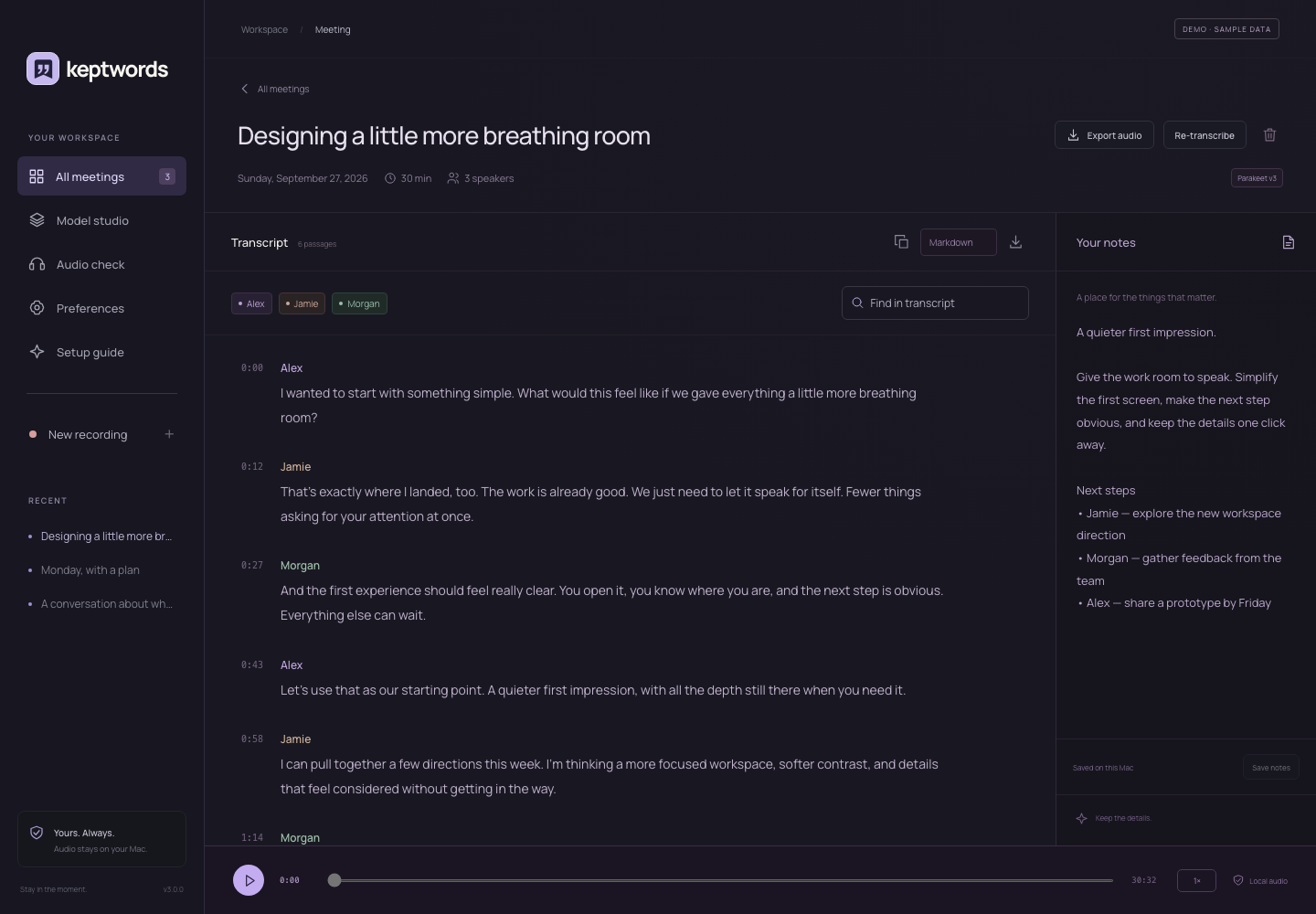
The real workspace, with sample conversation content. Your library
starts with you.
No
cloud transcriptionNo
meeting botsBuilt for Apple Silicon
A LITTLE LESS NOTE-TAKING
Stay with the conversation. Find the details later.
From the first hello to the next good idea,
keep the moments that matter in one thoughtful place.
01
Bring the whole room.
Record your microphone, audio from your Mac, or both. Import an
existing recording when the conversation has already happened.
Save audio alone, or transcribe whenever you are ready.
MICROPHONE + SYSTEM AUDIO
02
Follow every voice.
Get a timestamped transcript with anonymous speaker labels. Add
names yourself, keep familiar spellings in your names library,
and jump back to the moment you need.
LOCAL ASR + SPEAKER DIARIZATION
03
Make it yours.
Save your thoughts beside the transcript. Search your library,
replay the audio, and export the conversation in the format you
need.
AUDIO · TEXT · MARKDOWN · JSON · SRT
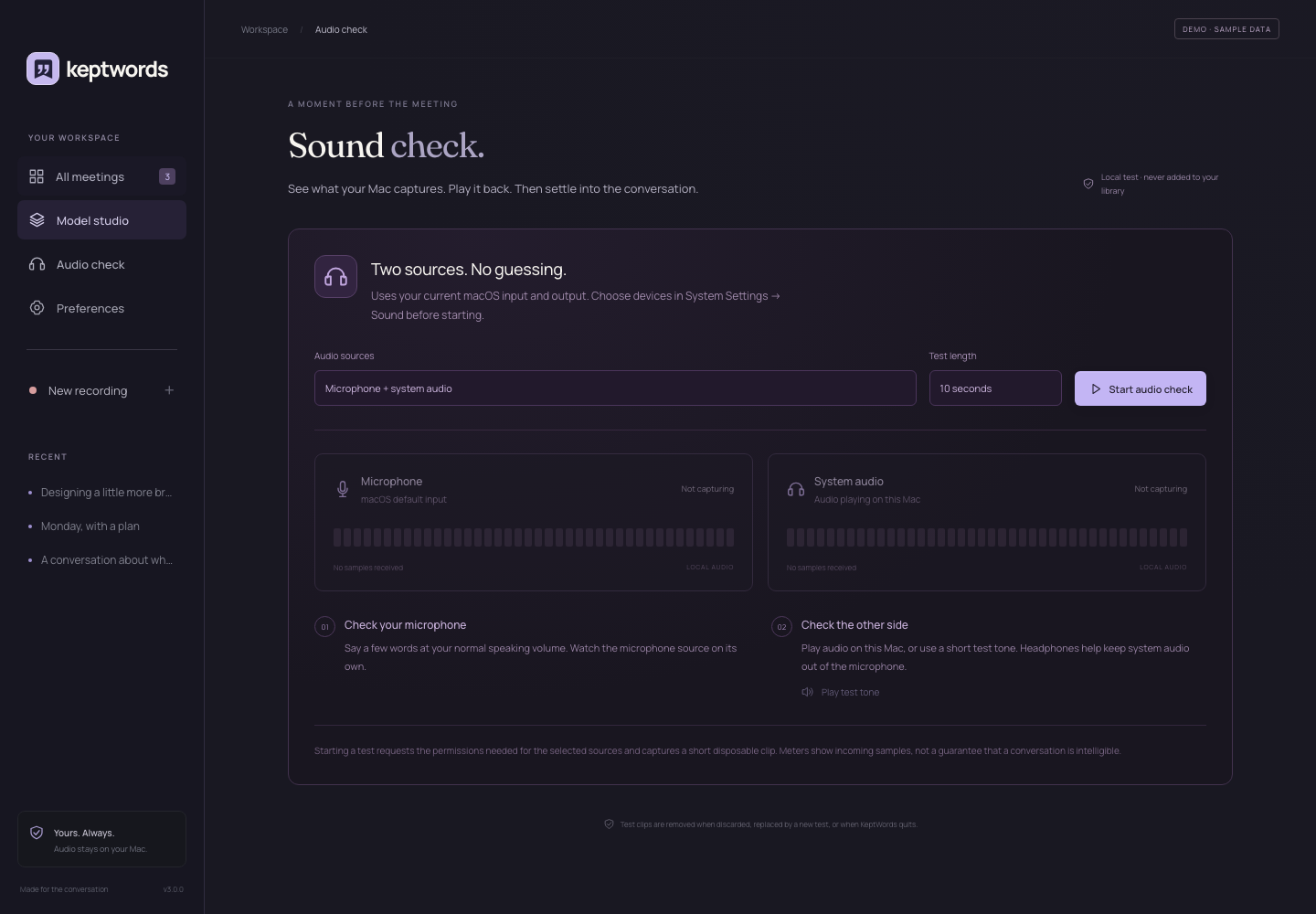
A MOMENT BEFORE THE MEETING
Sound check. Then settle in.
Check your microphone and system audio separately. Record a short
disposable clip, play each source back, and see exactly which
input is receiving samples.
Independent source meters during capture
Short audio tests with source-by-source playback
Explicit test tone and disposable test clips
A moving meter is a useful signal. Listening back is how you check
clarity.
Audio check in the app. Sample workspace; no active capture.
GOOD LISTENERS. GREAT MODELS.
Open models. A private studio.
Choose the speech model that suits your work. Prepare it once, then
transcribe locally with your Mac’s Neural Engine or GPU.
Parakeet TDT v3
Multilingual speech recognition for everyday conversations.
CoreML NEURAL ENGINE
Nemotron 3.5 ASR
NVIDIA’s multilingual speech model, running natively on your
Mac.
Metal APPLE GPU
Nemotron Speech English
A dedicated option for English speech recognition.
Metal APPLE GPU
Nemotron 3 Diarization SPEAKERS
Separate up to eight anonymous speakers, locally.
Metal APPLE GPU
YOURS. ALWAYS.
What’s said here stays here.
Your recordings, transcripts, and notes live on your Mac. Speech and
speaker models run locally. No bot joins your call. No transcription
service receives your meeting audio.
NO CLOUD TRANSCRIPTIONNO TELEMETRYYOUR LOCAL LIBRARY
A FEW GOOD QUESTIONS
Before you press record.
What kind of Mac do I need?+
KeptWords requires an Apple Silicon Mac running macOS 15 or later.
Model weights are downloaded separately and need storage and memory;
the app shows preparation status and checks memory before processing.
Does KeptWords join my meetings?+
No. KeptWords records audio through native macOS capture. Choose
your microphone, audio playing on your Mac, or both. Let everyone
in the conversation know before you record.
Does it work offline?+
After the models you need have been downloaded and prepared,
transcription runs locally. Internet is needed for initial model
downloads and to check or download app releases.
Does it know who’s speaking?+
Diarization groups speech into anonymous speaker labels; it does
not identify a person. You can name speakers yourself. Overlap and
noisy recordings can affect results, and live-preview labels are
provisional.
Can I bring my existing recordings?+
Yes. Import audio into your local library; KeptWords copies it so
your original stays untouched. You can export transcripts as plain
text, Markdown, JSON, or SRT subtitles, and save your original audio
independently of transcription.
When can I try KeptWords?+
Coming soon. We’re preparing KeptWords for its first public Mac
release. Downloads and the GitHub repository aren’t available
publicly yet. There’s no announced release date; this page will
carry the download when it’s ready.